Read your horoscope in your own language.
Learn astrology in your own language.
Horoscho Chart is a professional-grade Western astrology web app available in seven languages: Japanese, English, Spanish, Italian, Portuguese, French and German. From your very first chart to the daily work of professional astrologers and researchers. Chart calculation is completely free — no ID, no password.
Just open it in your browser. Works on Windows, Mac and smartphones alike. Your data stays on your own device.
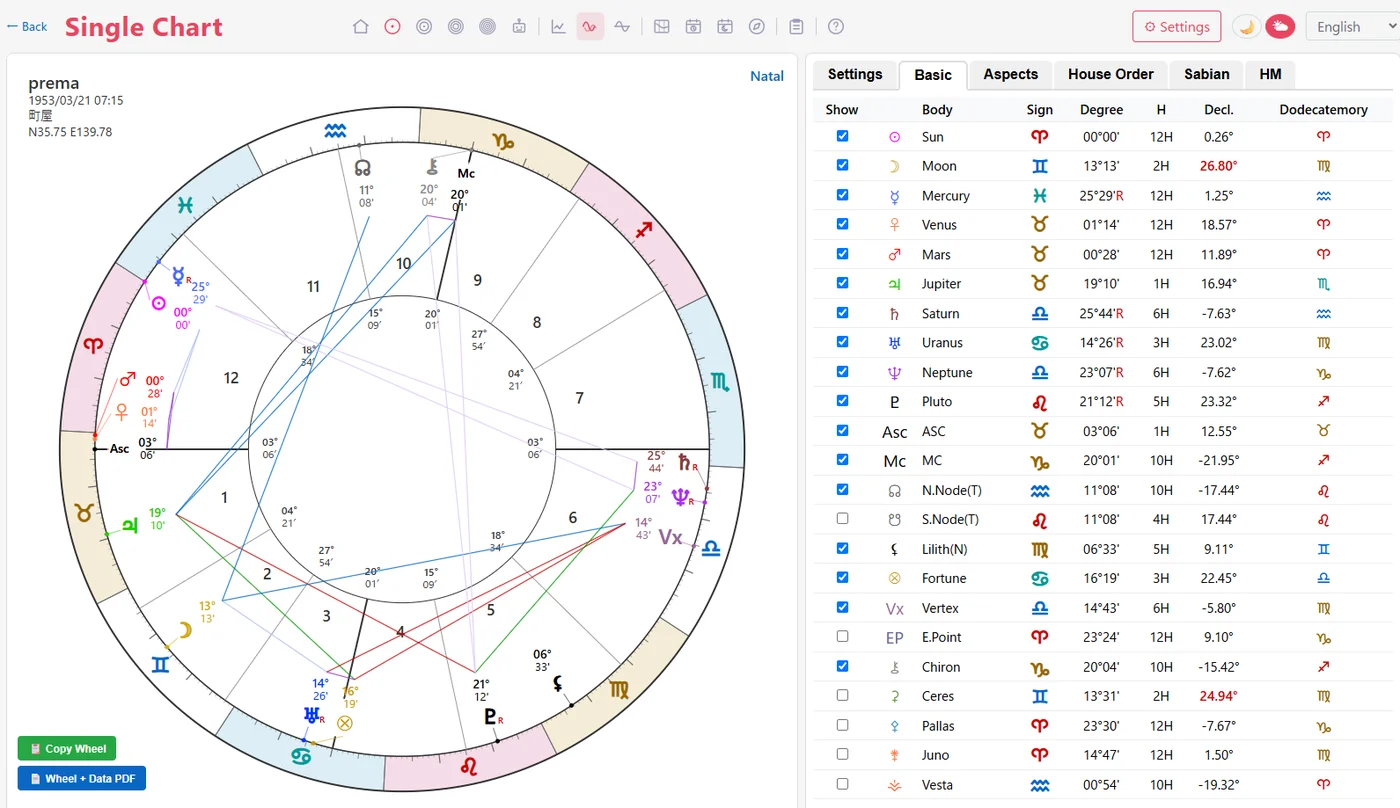
The screenshots on this page show the English interface; the app itself displays in each supported language.
Why I built this app
I began researching Western astrology thirty years ago. At the time there were introductory books in Japanese, but very few serious, specialist works — so every chart and every technique had to be understood in English first and then translated back into my own words, a long detour I kept taking for years.
Astrology is a craft for reading your own life. It ought to be done in the language you think in. I want people born outside the English-speaking world to have the chance to learn astrology, and read their charts, in their mother tongue. Horoscho Chart was born from that wish.
Seven languages are the starting point. In keeping with the idea of learning in your mother tongue, more languages will be added over time.
— prema, professional astrologer, Tokyo
Gentle for beginners, rigorous enough for professionals and researchers
Calculated from the NASA / JPL ephemerides
Planetary positions are computed from the JPL DE440 / DE441 ephemerides — the same data used in professional astronomy — through the Skyfield astronomy library. This is the highest level of precision available in astrology software.
From 3000 BC to AD 2200
Charts for ancient history, mundane research, or the distant future. Historical time zones and local mean time are handled correctly, not approximated.
Seven languages, one app
Menus, planet names, aspect tables, interpretations — the entire interface is available in seven languages. It switches automatically to match your browser, and you can change it any time in the settings.
Works on any OS
Because it runs in the browser, it works the same way on Windows, Mac and smartphones. Nothing to install.
Your data is yours
Charts are saved in your own browser, never on our server. You can export and import them as files, and sync them to your own Google Drive if you wish.
Development continues
Built by a working astrologer who uses it every day. New techniques and refinements are released continuously, and users' feedback shapes what comes next.
Free — the only paid feature is AI Readings
Chart calculation and all the features below are free. The only paid (subscription) feature is AI Readings, and you can use everything else in the app without it.
Main features
Natal chart
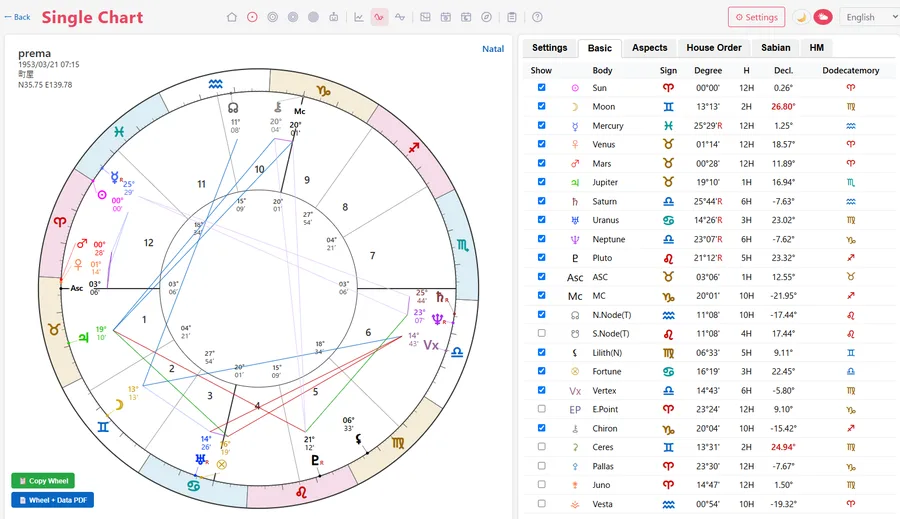
A single-wheel chart with aspects, house systems and detailed position data.
Bi-wheel
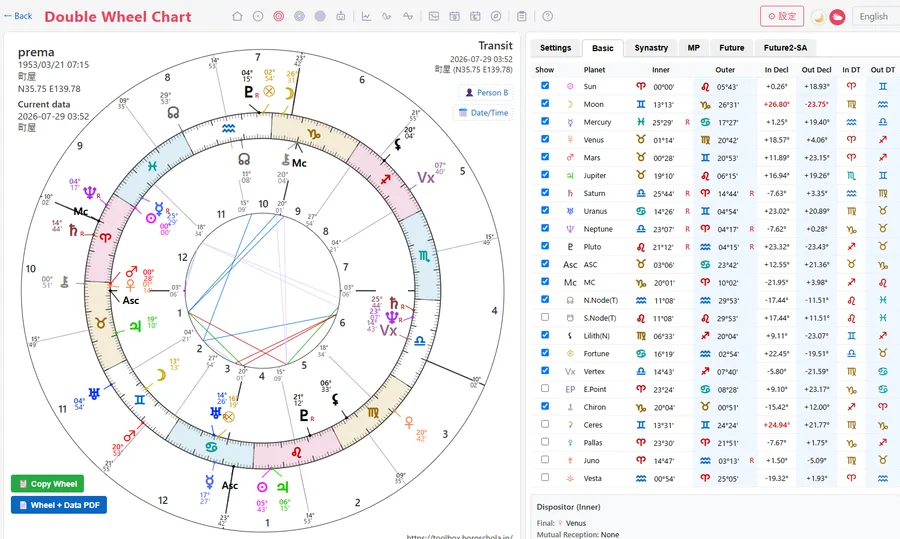
Overlay two charts — transits, progressions, synastry — and compare them.
Tri-wheel and 5-wheel
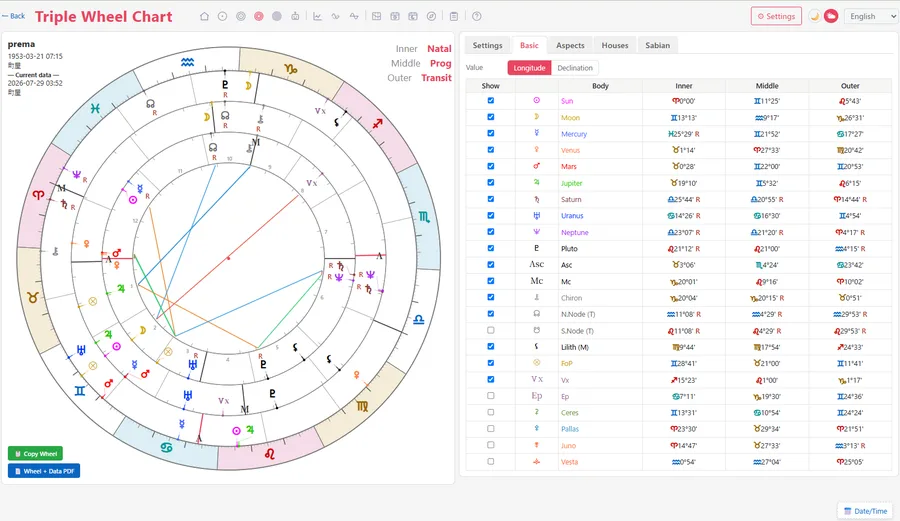
Layer up to five charts to read several techniques at a glance.
Timing table
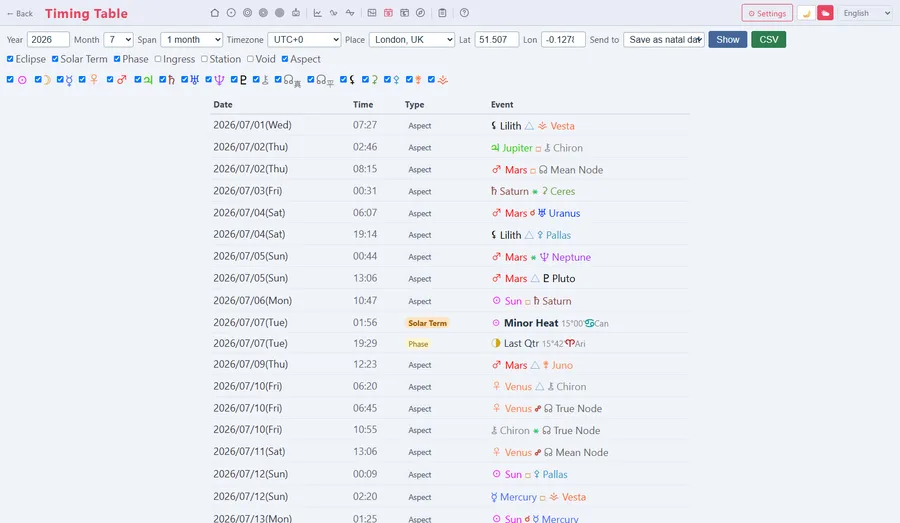
See exactly when transits and progressions become exact, in table form. The years 1900–2100 are precomputed.
Declination graph
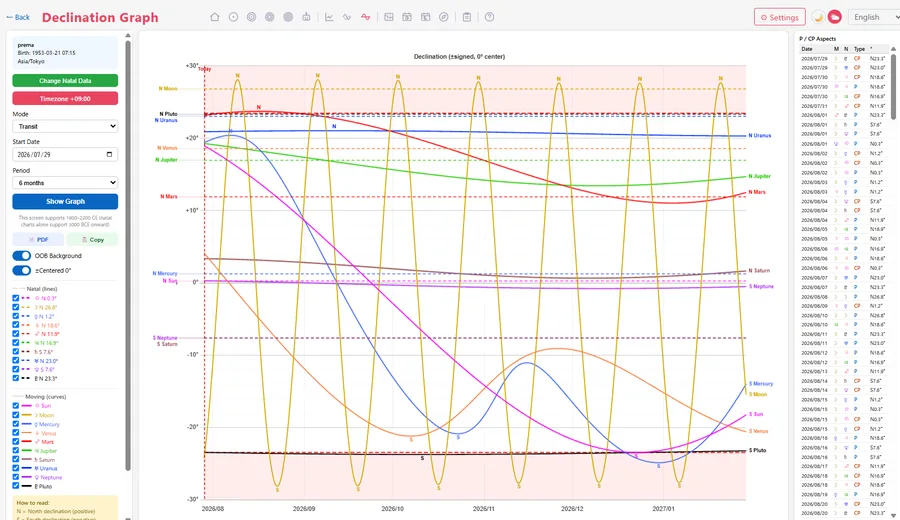
Visualize declinations, parallels and out-of-bounds planets over time.
Midpoints and harmonics
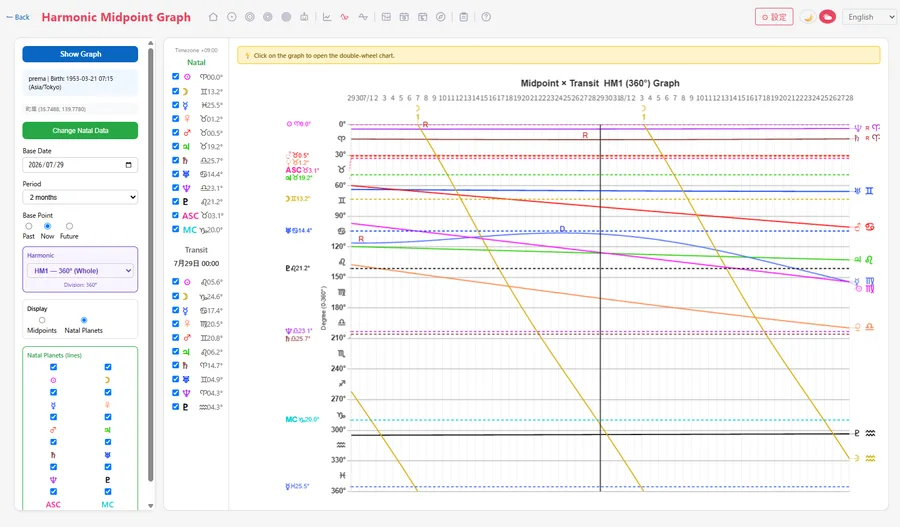
The MP / HM screens for midpoint trees and harmonic charts.
Analysis graph
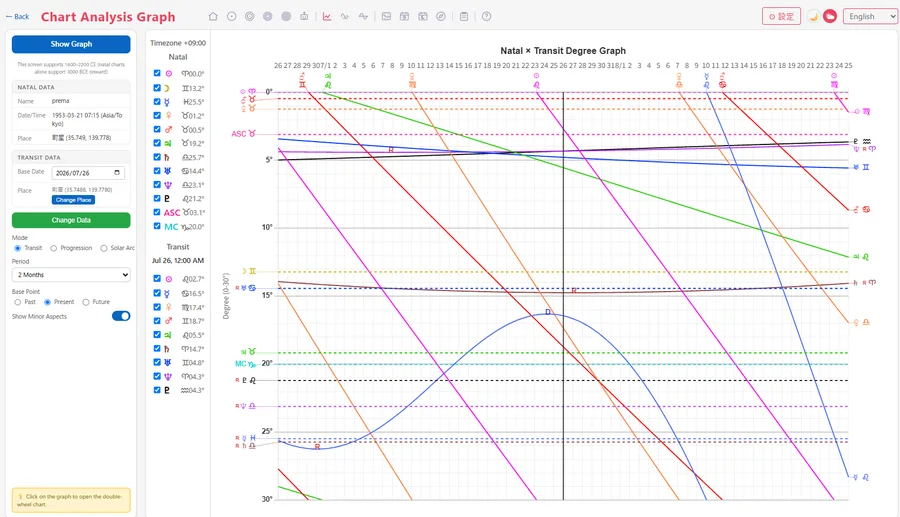
Grasp the overall balance of a chart quickly, in graphic form.
Graphic ephemeris
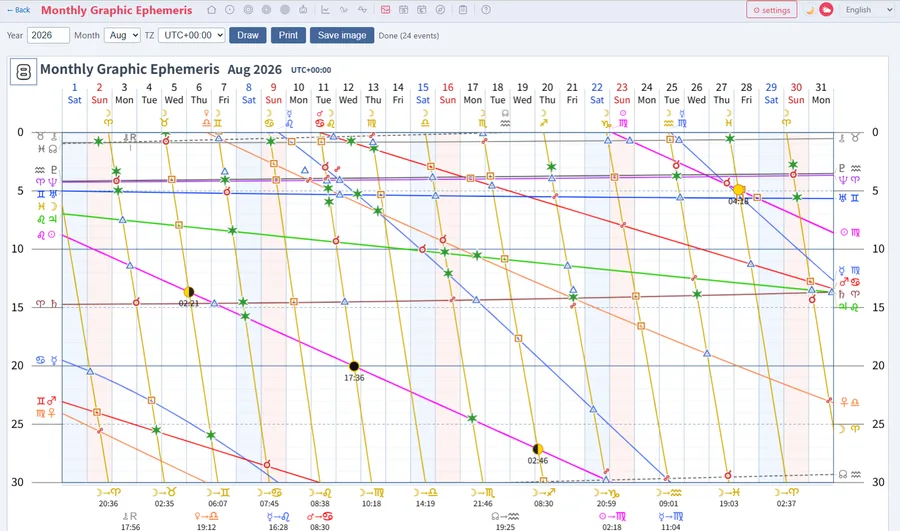
Read planetary movement visually with a monthly graphic ephemeris.
Void-of-course calendar
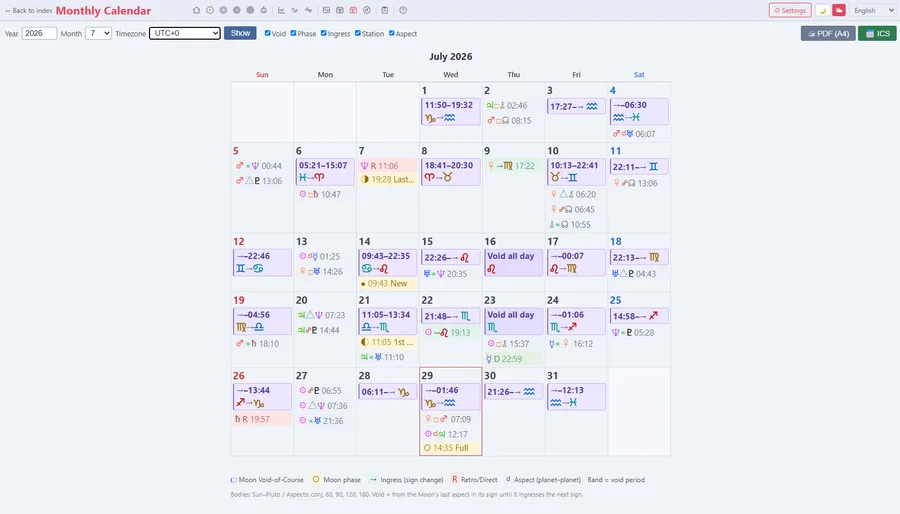
A void-of-course Moon calendar for everyday electional use.
Fixed stars and parans
Conjunctions with fixed stars, and paran calculations.
LIFELOG
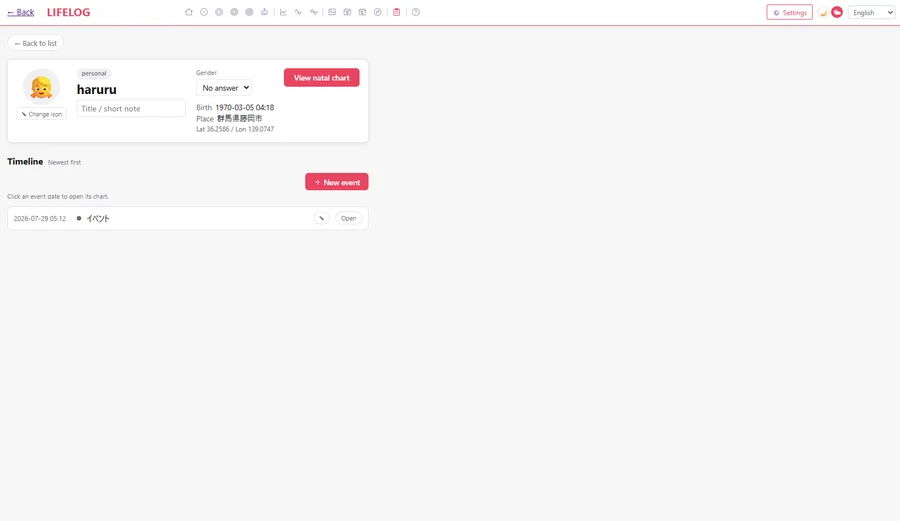
Record the events of your life and look back at them against your chart.
Flexible input
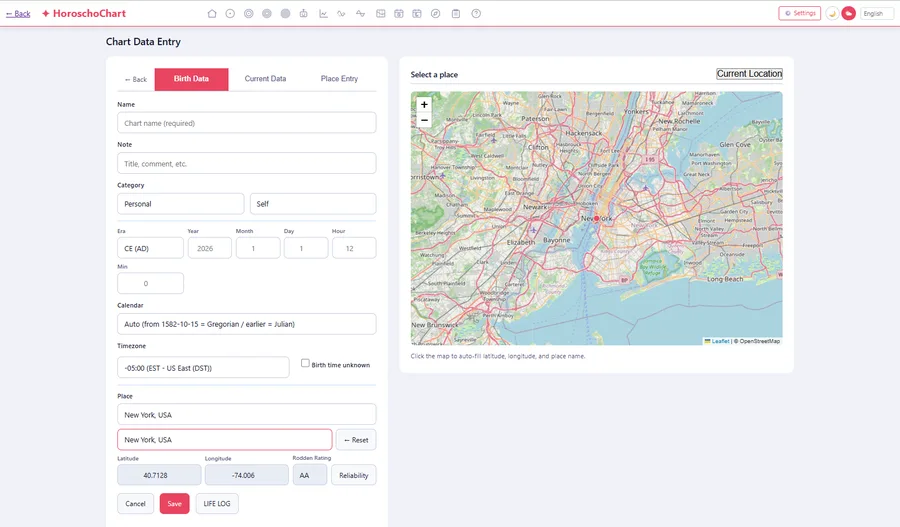
Birth-data entry with place search, automatic time zones, map input and historical dates.
AI Readings (paid subscription)
The AI writes a reading based on your chart, and you can keep asking follow-up questions in conversation. Everything runs from a single button.
Pricing
Chart creation is free, and will stay free. No ID or password. Bi-wheels, timing tables, the graphic ephemeris, LIFELOG and more — all free to use.
AI Readings (paid subscription) come in two plans: Basic at $12 / month and Pro at $25 / month (revised 1 September 2026). Because readings go through the API, everything happens inside the app — you never have to paste your chart data into an external chat window. Cancel any time.
AI Readings are generated with Google's Gemini API. Only when you press the "AI Reading" button are your chart data and the text in the "on your mind" field sent, via our own server. Your name is not sent unless you switch that option on in the settings. The charts you save stay in your own browser.
Using the charts you create
You are free to publish the charts you calculate on blogs, X and other social media. You may use them in your readings and hand them out to students in your courses. You may also use them in publications, at your own responsibility. Chart images themselves may not be sold.
About the developer
The developer is Prema (Japan, Astrologer), a professional astrologer with thirty years in Western astrology.
Horoscho Chart is not open source. It is developed by one person, but bug reports are very welcome and will be dealt with as quickly as possible. Please get in touch via Contact.
Let's begin
Open the app, enter a date and place of birth, and a professional-quality chart appears in seconds. No sign-up, no payment.